> For the complete documentation index, see [llms.txt](https://kbase.whitelabel-loyalty.com/developer/llms.txt). Markdown versions of documentation pages are available by appending `.md` to page URLs; this page is available as [Markdown](https://kbase.whitelabel-loyalty.com/developer/tutorials/reporting-your-first-event.md).
# Reporting your first event
Learn how to report your first private event to the WLL API in staging mode using your event type secret.
## Overview
In this tutorial, you’ll report your first **private event** to the White Label Loyalty (WLL) API. You’ll practice authenticating with your event type secret and sending an event payload in **staging (Test) mode**.
By the end, you’ll be able to:
* Report a private event to the `/events` endpoint.
* Verify that the API accepted your event.
***
## Prerequisites
Before starting, make sure you have:
* Access to the Loyalty Console with your tenant and your **tenant API key**.
* A [user account created](https://kbase.whitelabel-loyalty.com/product/loyalty-engine/users/creating-users) in the **Test mode** of your console (the event reported in this tutorial will be linked to this user).
* A tool to make API requests (e.g. curl, Postman, or your preferred programming language).
***
## Instructions
{% stepper %}
{% step %}
### Create a private event type
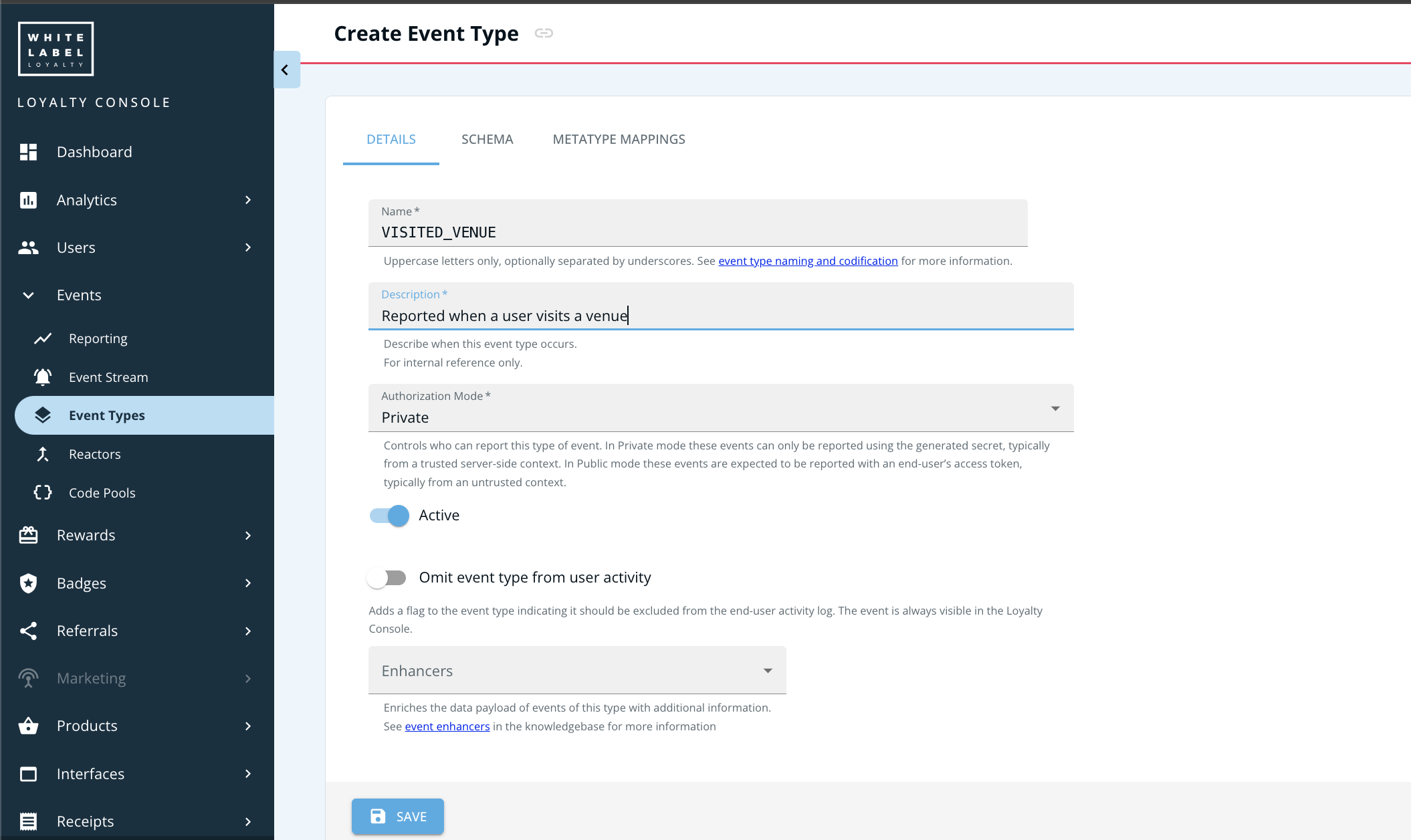
Follow the instructions in [Creating event types](https://kbase.whitelabel-loyalty.com/product/loyalty-engine/events/event-types/creating-event-types) to create a private event type called VISITED\_VENUE using the Loyalty Console.
Once the event type is created, keep the event secret handy for the next steps.
{% endstep %}
{% step %}
### Set your base URL
Use `https://api.rewards.wlloyalty.net/v1` as the base URL for both Test and Live. Your tenant API key selects the environment:
* `wlltest...` targets Test.
* `wlllive...` targets Live.
{% hint style="info" %}
**Legacy clients:** If your organisation was onboarded before 10 Aug 2026, you may still use the legacy setup with separate environments. In that model, Test (staging) uses `https://api.staging.rewards.wlloyalty.net/v1`, Live (production) uses `https://api.rewards.wlloyalty.net/v1`, and staging and production may have different client credentials.
{% endhint %}
{% endstep %}
{% step %}
### Prepare your authorization header
You’ll use the event type **secret** to authenticate.
```
Authorization: Bearer
```
{% endstep %}
{% step %}
### Prepare the user ID
You need the user ID of the account you're reporting the event for.
1. In the Loyalty Console, go to **Users → Members**.
2. Select the intended user.
3. Copy the UUID visible under **ID** (e.g. `0e647aed-d12d-4b1c-9521-4ee122424e12`).
{% endstep %}
{% step %}
### Send your first event
Here’s a minimal example using curl:
{% code expandable="true" %}
```bash
curl -X POST "https://api.rewards.wlloyalty.net/v1/events" \
-H "Content-Type: application/json" \
-H "Authorization: Bearer " \
-H "x-api-key: " \
-d '{
"type": "VISITED_VENUE",
"subject": "",
"payload": {
"amountSpent": 100,
"currency": "USD",
"minutesSpent": 120,
}
}'
```
{% endcode %}
Here's an example in Node.js using axios:
{% code expandable="true" %}
```javascript
import axios from "axios";
const EVENT_TYPE_SECRET = "";
const EVENT_TYPE_NAME = "VISITED_VENUE";
const API_KEY = ""
async function reportEvent() {
const response = await axios.post(
"https://api.rewards.wlloyalty.net/v1/events",
{
type: EVENT_TYPE_NAME,
subject: "",
properties: {
amountSpent: 100,
currency: "USD",
minutesSpent: 120
},
},
{
headers: {
Authorization: `Bearer ${EVENT_TYPE_SECRET}`,
"Content-Type": "application/json",
"x-api-key": API_KEY
},
}
);
console.log("Event reported:", response.data);
}
await reportEvent();
```
{% endcode %}
{% endstep %}
{% step %}
### Verify the response
* A successful response returns **200 OK** with the reported event payload.
* In the Loyalty Console, check the **Activity** section to confirm the event appears for the intended user.
{% endstep %}
{% endstepper %}
### Recap
* You authenticated using an **event type secret**.
* You reported a **private event** to the WLL API.
* You confirmed the event was accepted in staging mode for the intended user.
***
## Assessment
Try the following:
1. Change the `subject` from user `ID` to `accountNumber` or `authIdentifier` and send another event.
2. Add a custom property (e.g., `"venueId": "12345"`) to the event payload.
3. What response do you get if you use an invalid secret?
***
## Next steps
* See [Reporting events](https://kbase.whitelabel-loyalty.com/product/loyalty-engine/events/reporting-events) for deeper explanation
* See the [API reference for reporting events](https://docs.whitelabel-loyalty.com/rewards.html#events-events-collection-post) for all available fields
* Continue to the next tutorial, [Checking audience membership](/developer/tutorials/checking-audience-membership.md)
***