> For the complete documentation index, see [llms.txt](https://kbase.whitelabel-loyalty.com/product/llms.txt). Markdown versions of documentation pages are available by appending `.md` to page URLs; this page is available as [Markdown](https://kbase.whitelabel-loyalty.com/product/loyalty-engine/campaigns/getting-started-with-campaigns.md).
# Getting started with Campaigns
### What are campaigns?
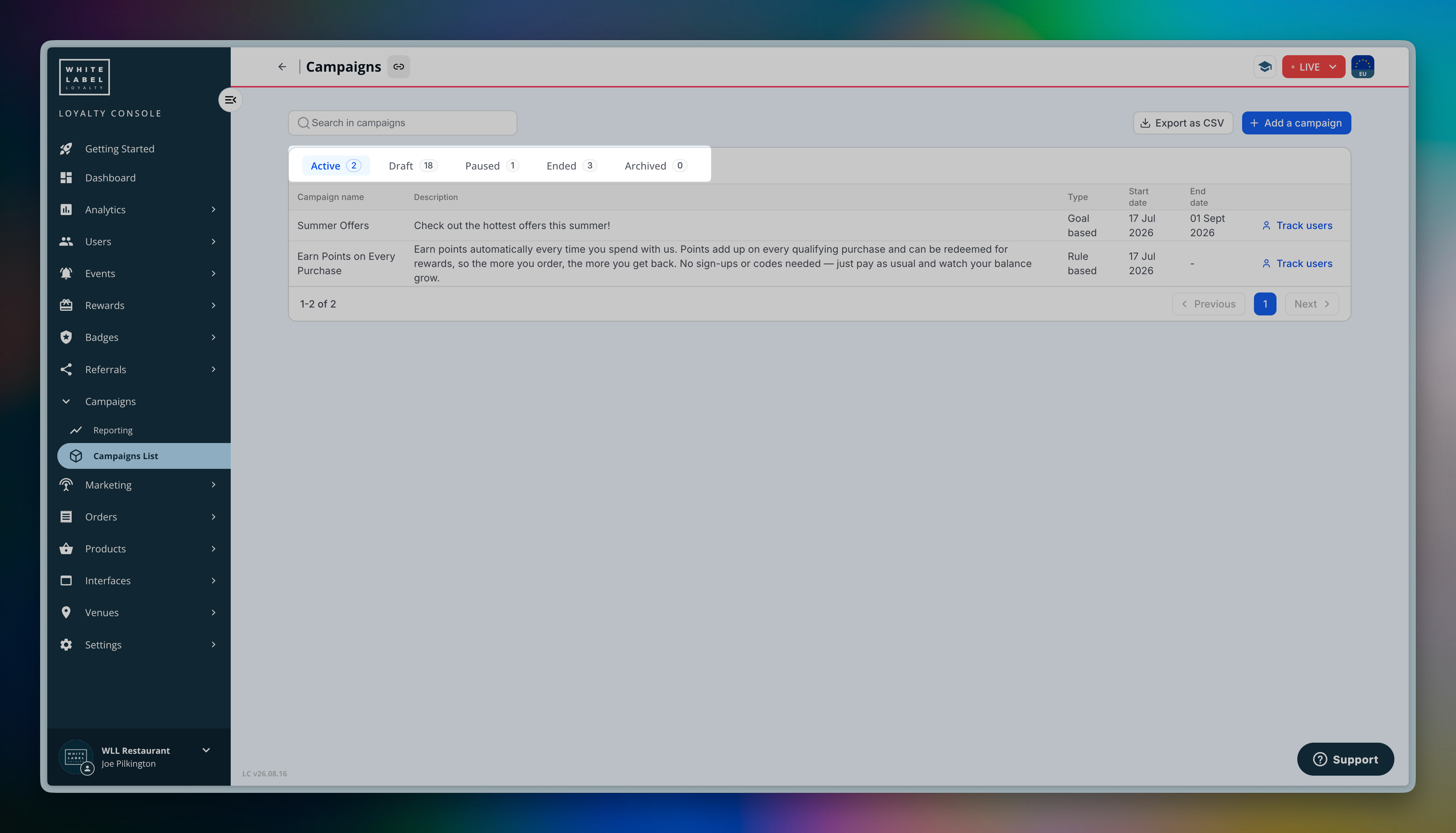
**A campaign is a single, unified resource that represents an earning opportunity in the Loyalty Engine.** One campaign brings together what the opportunity is, who can see it, when it runs, what the user earns, and — where relevant — how far along they are toward a goal.
Campaigns are how you turn the events your systems report into rewards. They are managed as a unit, so you can activate, pause, or archive an entire earning opportunity in one place rather than wiring up separate resources by hand.

There are two types of campaign:
| Type | Description | Use for |
| -------------- | ------------------------------------------------------------------------------------------ | ------------------------------------------------------------------------- |
| **Rule Based** | Responds to events immediately using reactors. Runs continuously with no completion state. | Earning rules, sign-up bonuses, promo codes, always-on earning logic |
| **Goal Based** | Tracks user progress toward a target using missions. Completes when the target is reached. | Stamp cards, spending milestones, engagement challenges, multi-step goals |
{% hint style="info" %}
**Campaigns respond to events—they don't create them.**
Campaigns act on the **events** your systems report. Before setting up a campaign, make sure the behaviours you want to reward are already being captured as events.
{% endhint %}
***
### Rule Based campaigns
**Rule Based campaigns are always-on earning rules.** They use **reactors** to respond to events the moment they're reported — awarding points, issuing rewards, granting badges, or calling a webhook. They run continuously and have no completion state.
A single Rule Based campaign can hold one or more reactors, letting you group related earning logic together (for example, "earn 1 point per £1 spent" alongside "double points on weekends").
See [Rule Based Campaigns](/product/loyalty-engine/campaigns/rule-based-campaigns.md) for a full guide.
### Goal Based campaigns
**Goal Based campaigns track progress toward a target using missions.** Each **mission** tracks real-time, per-user progress against a defined goal — count-based ("make 5 purchases"), value-based ("spend £100"), or boolean ("follow us on social media") — and can reward the user on completion.
Missions can run against a time window and support optional user opt-in. Each mission tracks real-time, per-user progress, which you can monitor in the Loyalty Console — see who's taking part and how far along each user is against the target.
Missions can be single goals or multi-step (nested) missions, and can be completed in parallel or in a set sequence.
See [Goal Based Campaigns](/product/loyalty-engine/campaigns/goal-based-campaigns.md) for a full guide.
### Campaign lifecycle
Every campaign has a **status** that reflects where it is in its lifecycle — from **Draft** while you set it up, to **Active** once it's live, through to **Paused**, **Ended**, or **Archived**. You manage this status to control when a campaign runs.
See [Managing Campaigns](/product/loyalty-engine/campaigns/managing-campaigns.md) for the full lifecycle and how to move between statuses.
---
# Agent Instructions
This documentation is published with GitBook. GitBook is the documentation platform designed so that both humans and AI agents can read, navigate, and reason over technical content effectively. Learn more at gitbook.com.
## Querying This Documentation
If you need additional information that is not directly available in this page, you can query the documentation by asking a question.
Perform an HTTP GET request on the following URL with the `ask` and `goal` query parameters:
```
GET https://kbase.whitelabel-loyalty.com/product/loyalty-engine/campaigns/getting-started-with-campaigns.md?ask=&goal=
```
`ask` is the immediate question: it should be specific, self-contained, and written in natural language.
`goal` is what the user is ultimately trying to achieve, the reason they need the answer. Sharing it helps GitBook give you a better, more relevant answer. A goal is most helpful when it describes the outcome the user wants rather than restating the question. For example, with `ask=how do I create an API token`, a goal like `automate deployments from our CI pipeline` lets GitBook tailor the answer to that use case.
The response will contain a direct answer to the question and relevant excerpts and sources from the documentation.
Use this mechanism when the answer is not explicitly present in the current page, you need clarification or additional context, or you want to retrieve related documentation sections.